Study, share and collaboratewith your friends.
Learnspaces is a social learning platform. Make a space for every course, write notes together in real time, and study with Skylar, an AI that has read them too.
Used by students at 5+ universities
How it worksfrom first lecture to exam day
01
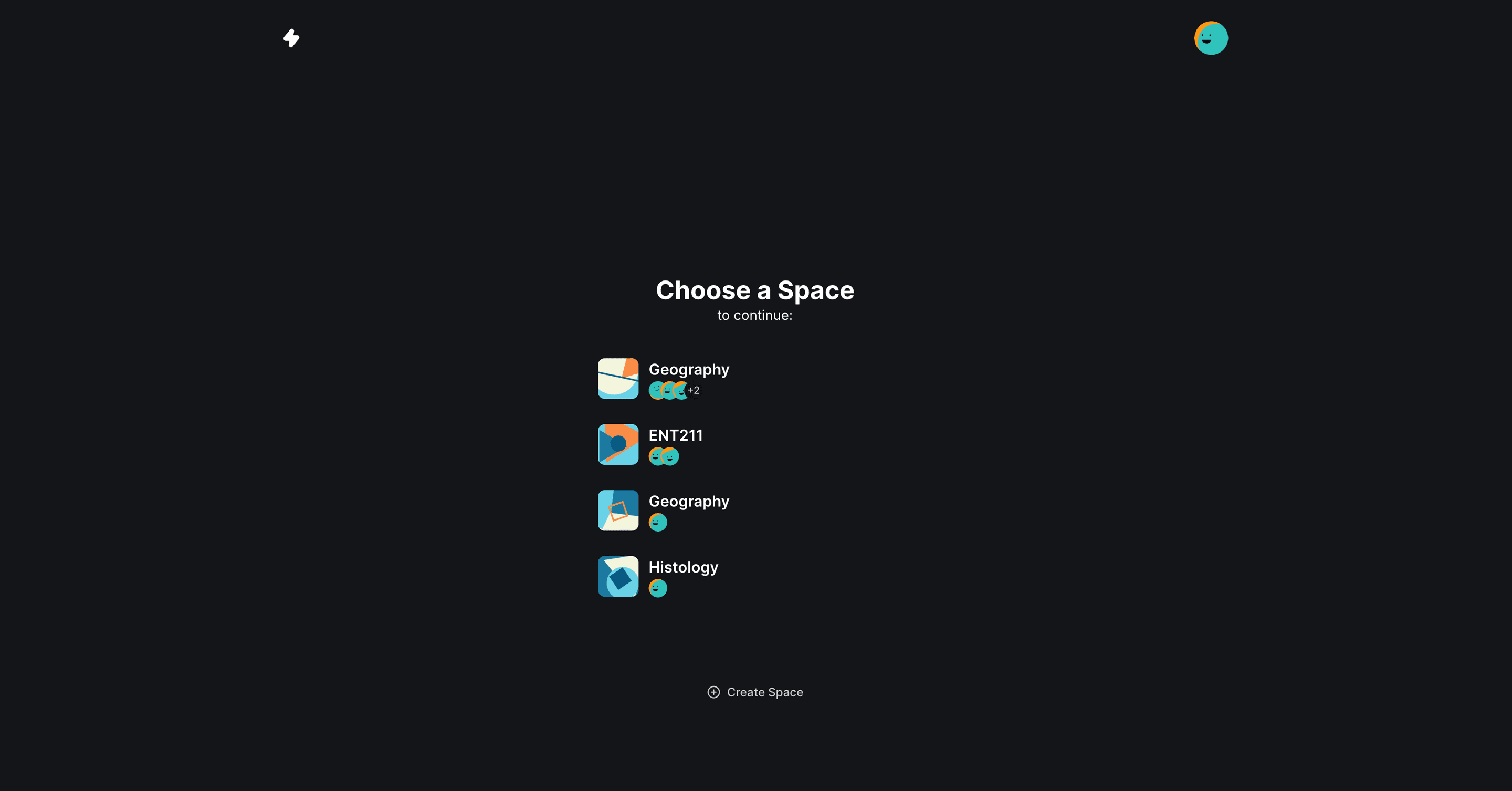
Spaces
Make a space for each class and bring your friends in. Already on Moodle or Google Classroom? Import your courses in one go.
02
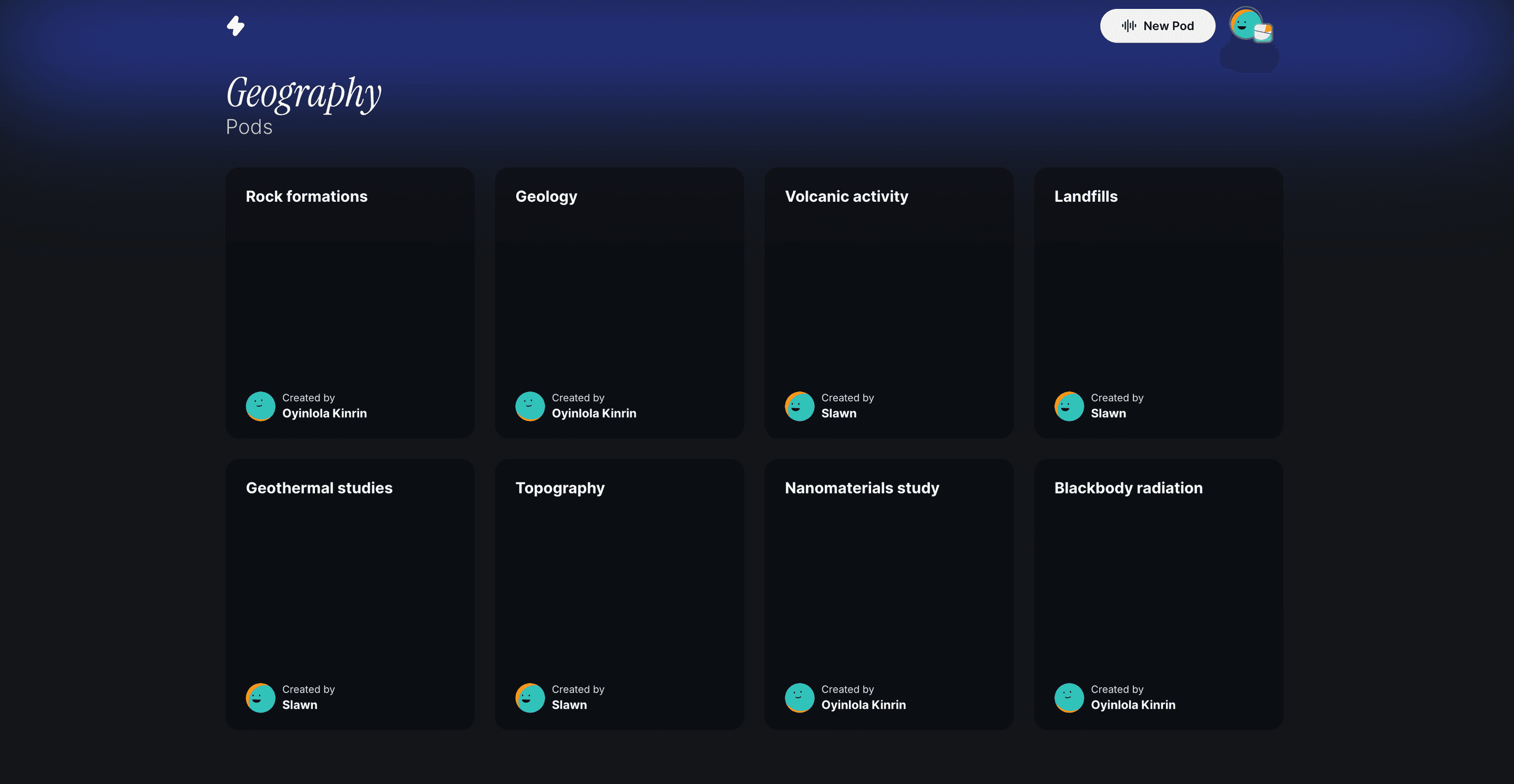
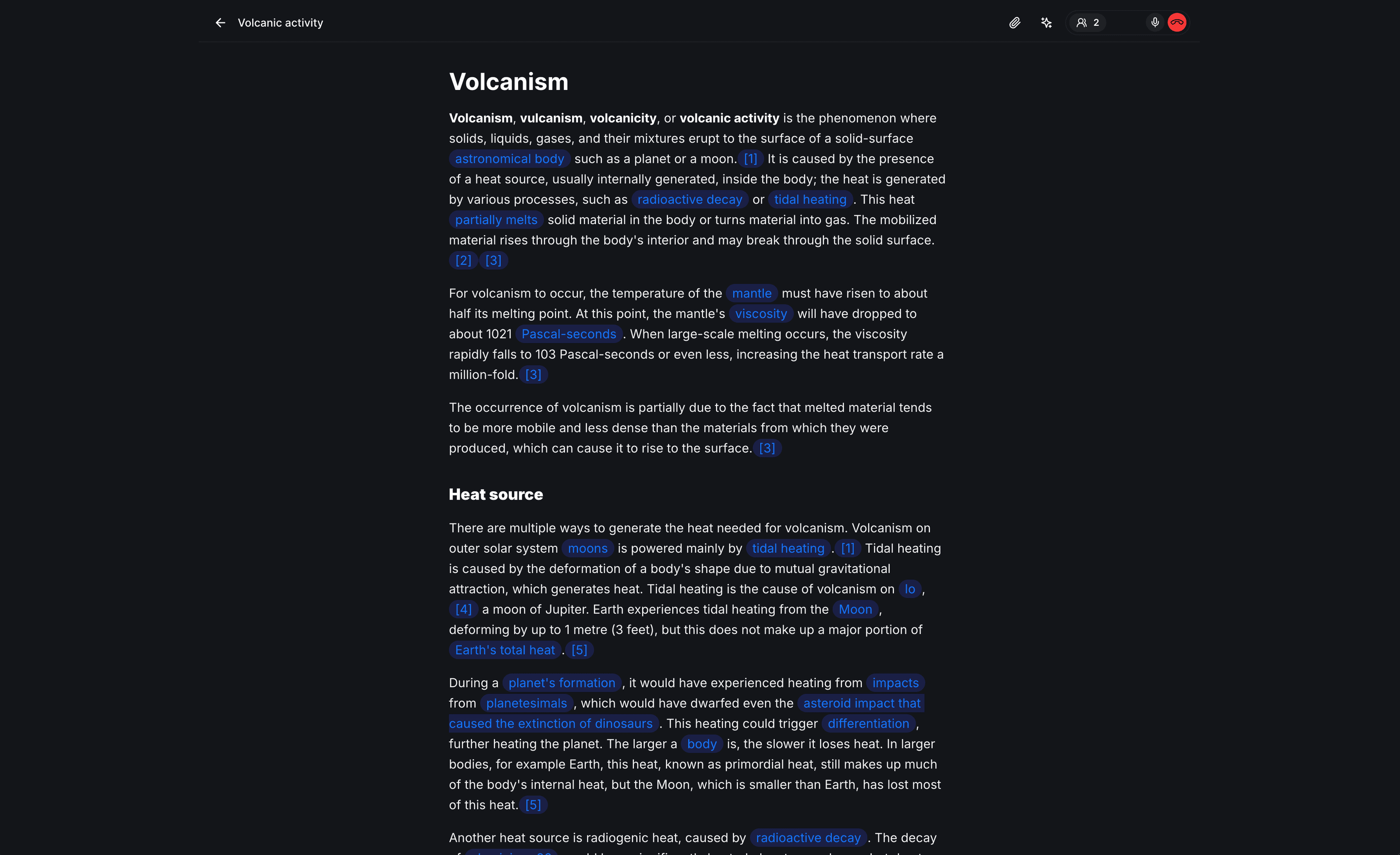
Pods
Every lecture gets a pod: live notes the whole class edits at once, with a voice call built in and the lecture slides and PDFs right in the page.
03
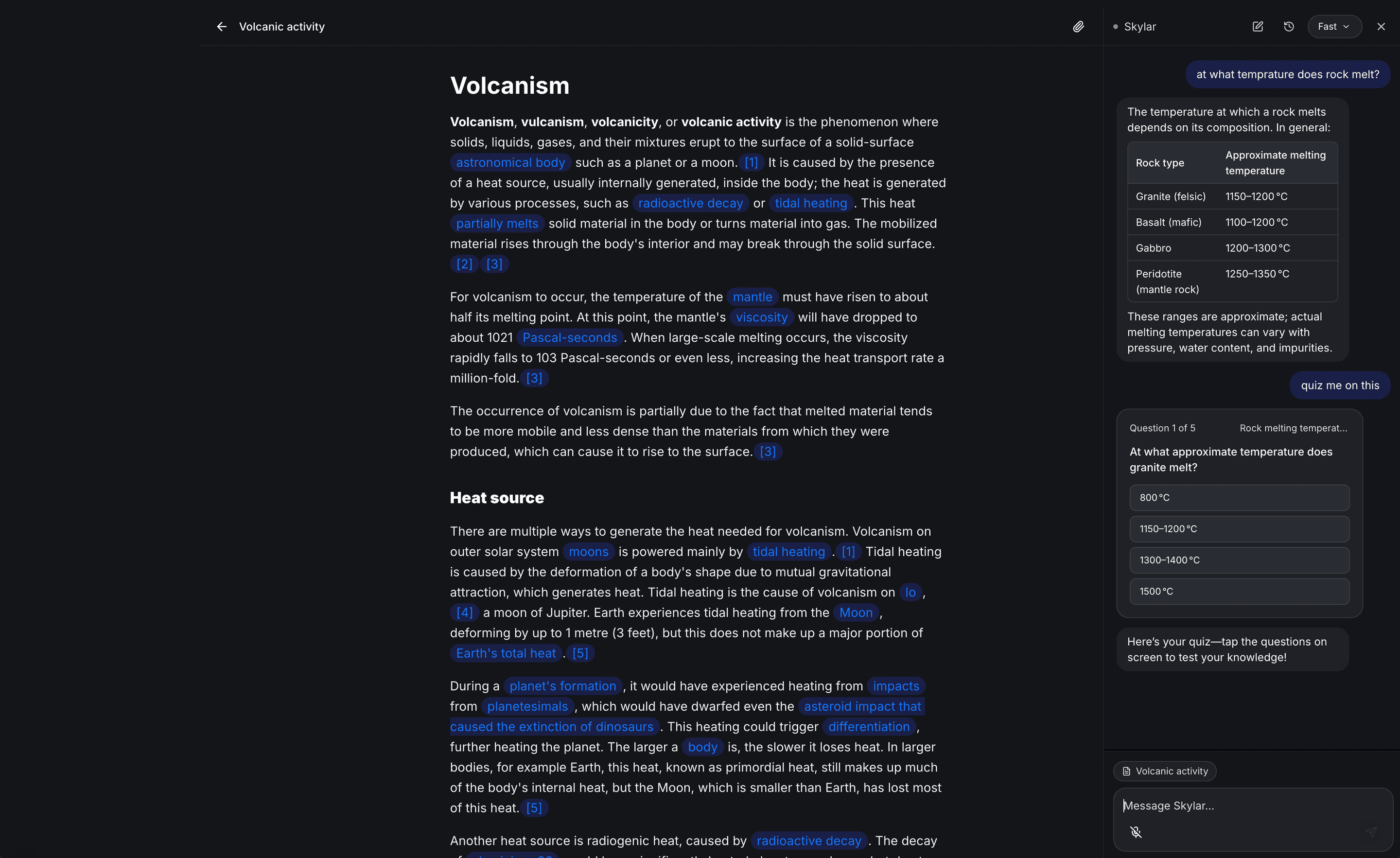
Skylar
Ask a question, get it explained, then quiz yourself. Skylar reads your notes, PDFs, slides and images, and answers in any of 90+ languages.
Skylar only reads the pod you have open. Notes are visible only to members of your space, and your chats with Skylar are private to you.
04
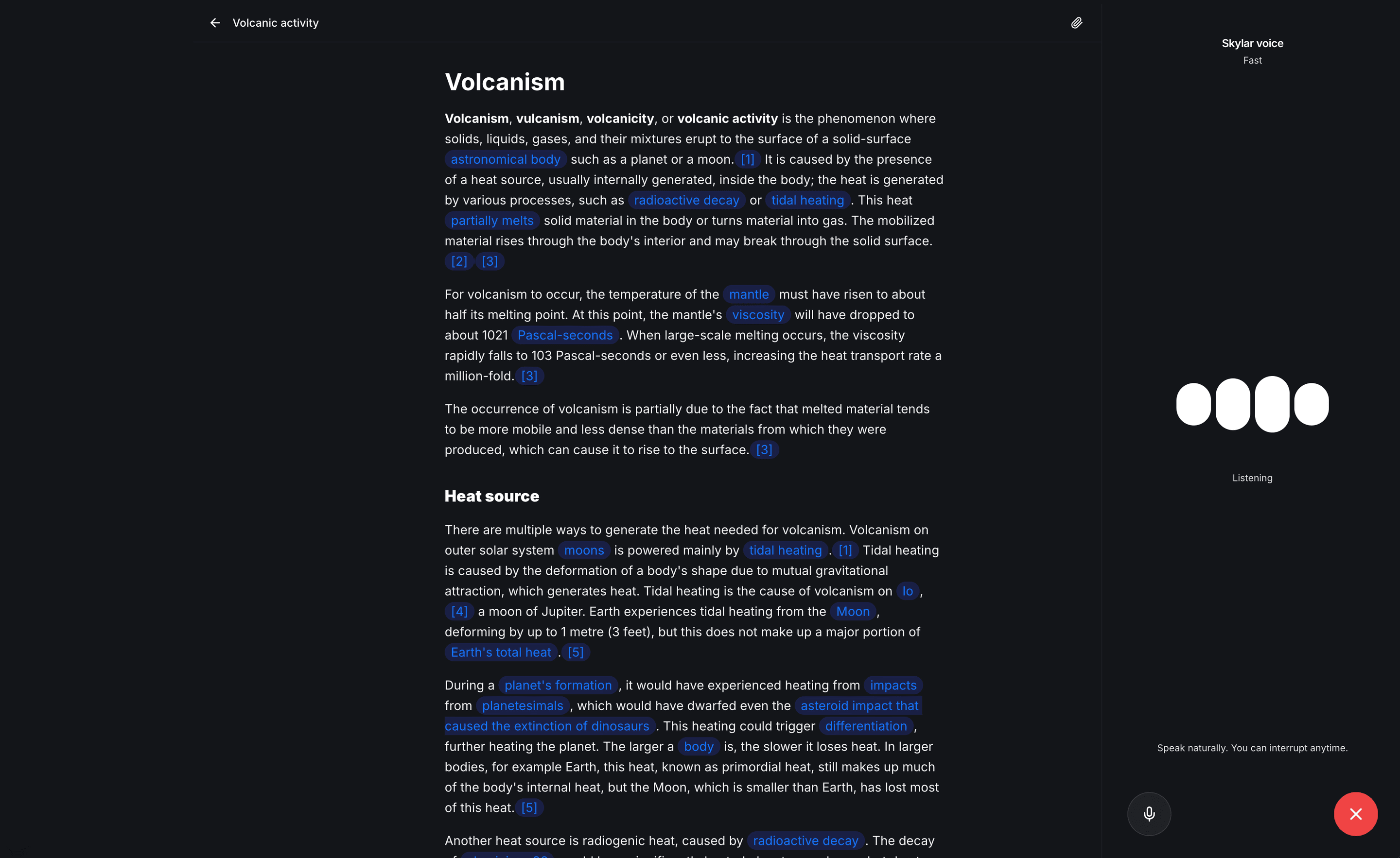
Skylar voice
Talk it through out loud in any of 90+ languages and interrupt anytime. On a laptop, share your screen so Skylar sees your slides as you go.
And there's morebuilt around how students actually study
90+ languages
Skylar understands and replies in over 90 languages, from English and French to Yoruba, Hausa and Arabic, typed or spoken.
Works offline
Open your spaces, read and write notes and create pods with no internet. Everything syncs when you're back online.
See who's studying
Each pod shows which classmates are in it right now, and how many are already on its call.
Skylar reads your files
PDFs, slide decks and images in a pod are part of what Skylar knows, not just the notes.
Share your screen
In Skylar voice on a laptop, share your screen and talk through exactly what you're looking at.
Install it anywhere
Add Learnspaces to your phone's home screen or your computer's dock and open it like any other app.
Frequently asked questionsand straight answers
Learnspaces is a social learning platform. Make a space for each course, write lecture notes together with your classmates in real time, and study with Skylar, an AI study partner that reads your notes.
Yes. Your spaces, collaborative notes, and course materials are free during early access. Create your first pod to start five days of Pro for free, including Skylar chat, voice, screen sharing, and all three models. After the trial, upgrade to Pro to keep using Skylar. Your notes and saved conversations stay accessible.
Skylar explains things, answers your questions and quizzes you, using the notes, PDFs, slides and images in the pod you have open. You can type to Skylar, or talk out loud with Skylar voice on a laptop.
Skylar understands and replies in more than 90 languages, typed or spoken, including English, French, Arabic, Yoruba and Hausa. Typed chat works in even more, including Igbo. Skylar answers in whichever language you use.
Yes. Spaces and pods you've opened online are saved on your device, so you can read and write notes and create pods without internet, and everything syncs when you're back online. Skylar, calls and file uploads need a connection.
Notes in a pod are visible only to members of that space. Your conversations with Skylar are private to you, and Skylar only reads the pod you have open.
Yes. Connect Moodle or Google Classroom from Settings, under Integrations, and import your courses as spaces in one go.
Yes. Learnspaces works in any browser, and you can add it to your phone's home screen or your computer's dock to open it like an app. Skylar voice needs a laptop or a tablet held sideways.
Bring your class inand study smarter together.
Join today for 5 days of Pro, free.
Starts when you create your first pod. No card needed.